multimediatres.com TV|WIFI|SECURITY

Wi-Fi and networks for house and grounds

Wi-Fi all the way to the pool. Not just next to the router.

Thick walls, long plots, a guest house at the back of the garden: your provider's router can't cope with that. We plan access points and mesh for your house, use cables wherever possible and, outdoors, install equipment that can handle sun and salt.

For villas, fincas, holiday flats, shops and residential complexes.

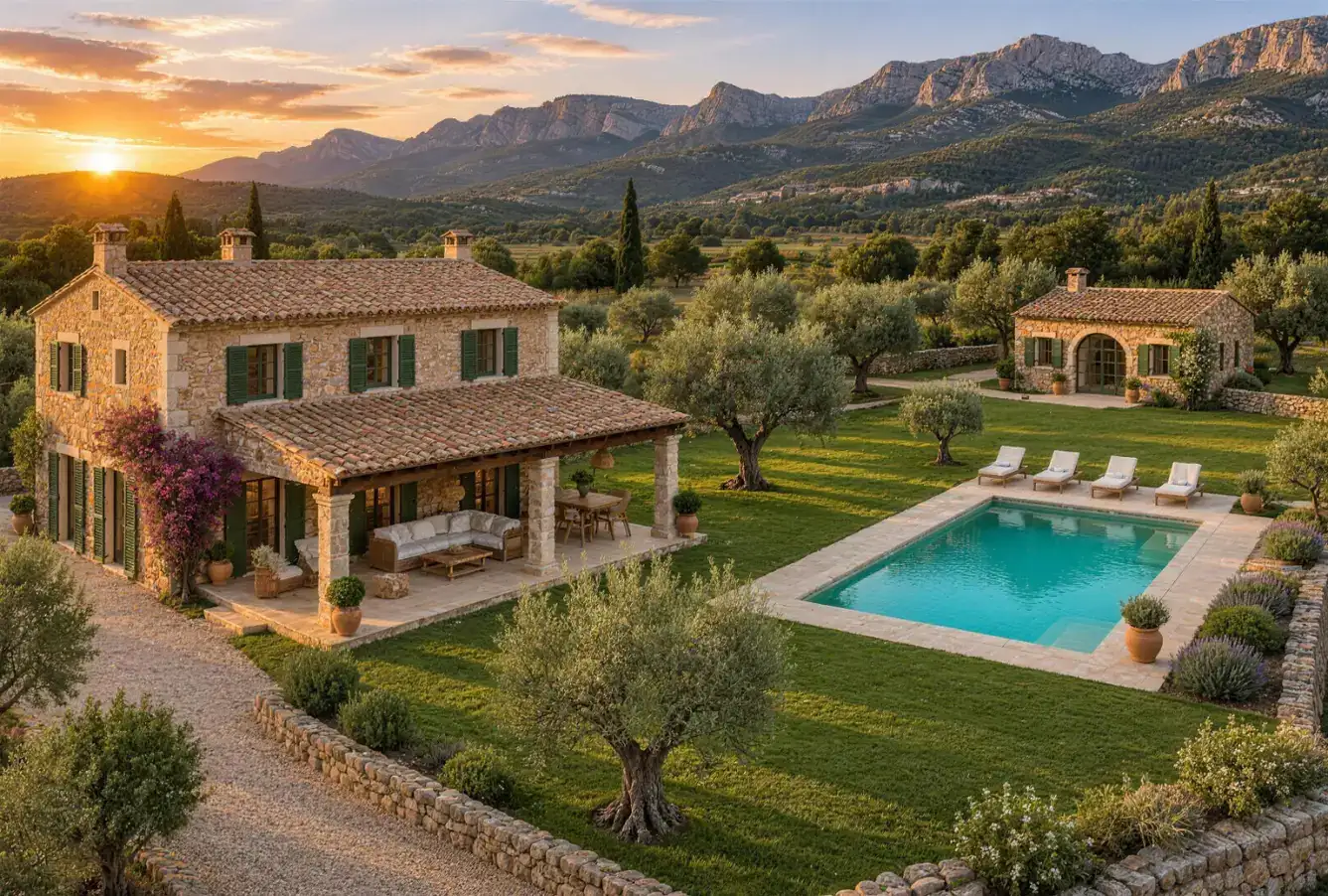
Aerial view of a finca in Mallorca with terrace, pool and guest house Photo of a property with house, terrace, pool and guest house. A single router covers only the house, four access points cover the whole property

A provider's router usually sits in the hallway and covers the house. The terrace, pool and guest house are left without signal.

What we install.

We work with Ubiquiti UniFi and AVM FRITZ!. We can look after both remotely, and both keep running even when you're off the island for months.

Access points in the house

One unit per floor instead of a router in the hallway. One network name throughout the house, and your phone switches to the nearest point by itself.

Outdoors and by the pool

Outdoor access points that can handle sun, rain and salty air. The terrace, pool and garden get full signal.

Cabling and network cabinet

Wherever possible we run cables. That's faster and more stable than wireless, and the cameras, TVs and alarm are neatly connected in the cabinet.

Guest Wi-Fi and holiday lets

A separate network for guests, kept apart from cameras and alarm. For holiday lets and shops where lots of people are online at the same time.

Ubiquiti UniFi · AVM FRITZ! · Cabling · Mesh

Good to know

Why does a house in Mallorca swallow so much Wi-Fi?

Natural stone walls, reinforced concrete, several floors and long plots: the way houses are built here is about the worst there is for wireless signals. The provider's router usually sits where the cable comes in, and that's rarely the middle of the house. Two walls further on, the signal is gone.

The answer isn't a stronger router but several access points spread around the house and outside. Each one only covers its own area, and your phone switches to the nearest one by itself without you noticing.

Access point, mesh or repeater: what's the difference?

A repeater from the electronics shop picks up the weak signal and passes it on. In doing so it halves the speed and drops out as soon as there's a thick wall in the way. That may be enough for one room, but not for a house.

Access points are connected by cable and transmit at full strength. Mesh links several points into one network with one name. We use cables wherever possible and mesh only where a cable can't go. That keeps the network fast and stable, even with ten devices streaming at once.

What does a network cabinet do, and do I need one?

Everything networked in the house comes together in one place: router, switch, the cables to the access points, cameras, alarm hub and TVs. In the cabinet it's tidy, labelled and ventilated, instead of a tangle of cables behind the sofa.

For a small flat, a router and one access point are enough. For a villa with cameras, alarm, several TVs and a guest house, the cabinet is what makes every future extension easy.

Outdoor Wi-Fi: terrace, pool, garden

Standard access points can't handle sun, rain and salty air. There are units built for outdoor use, and we fit them where they don't stand out: under the eaves, on the pergola, on the wall by the pool.

One outdoor point usually covers the terrace and pool together. On large plots or with a guest house, a second one is added. We measure exactly where on site, phone in hand.

Guests, tenants, cameras: who gets access to which network?

Guests get their own network that only leads to the internet. Your cameras, alarm system and your own computer are on a separate one that guests can't see. That matters for holiday lets, but also for anyone who has tradespeople or visitors in the house.

For shops and restaurants we set up a guest Wi-Fi with its own name that stays separate from the till and the office.

What happens when you're away?

We can see the Ubiquiti UniFi systems we install remotely. If a point fails or the router hangs, we notice before your tenants call and restart it without anyone having to go into the house. This is part of the maintenance contract, see Service and maintenance for more.

Who we install this for.

Not here all year round

The network keeps running while you're away, and we can check remotely that everything is fine. Your cameras and alarm depend on it.

Residents

Working from home in the study, streaming in the living room, music on the terrace, all at the same time and without dropouts.

Holiday let owners

Guests rate the Wi-Fi. A separate guest network that stays stable all the way to the pool saves you bad reviews and phone calls.

Shops, restaurants, offices

Till, office and guests kept cleanly apart, on a network that holds up even in summer when the place is full.

Residential complexes and property managers

Networks for communal areas, cameras and access control, with one contact person for the whole complex.

First we look. Then we quote. Then we install.

You write to me

On WhatsApp, ideally with a few photos of the house and grounds and a sentence on where the signal is missing today.

I measure on site

We walk through the house and around the grounds together, I measure where the signal drops and plan the access points.

Quote, then installation

You get the quote in writing. After installation I check every room and the pool again, phone in hand.

What customers ask beforehand

Isn't a repeater from the electronics shop enough?

For one room, perhaps. A repeater halves the speed and drops out as soon as there's a thick wall in the way. For the terrace, pool and guest house you need access points with a fixed cable connection.

I spend half my time in Germany. What if the Wi-Fi goes down?

We can see the system remotely and restart it if needed, before anyone has to go into the house. Your tenants or neighbours don't have to do anything.

Do I need a new internet connection for this?

Not necessarily. The Wi-Fi distributes the internet you already have. If the connection itself is too slow, we can talk about fibre at the same time.

What does it cost?

That depends on the house, the cable routes and the number of access points, so we take a look first. You get the quote in writing after the visit.

Do walls have to be opened up for access points?

Not necessarily. We often use existing conduits or suspended ceilings, or run the cable outside under the eaves. Where a cable really can't go, we use mesh. During the visit we'll tell you what's possible where.

Can I keep my provider's router?

Yes. It stays as your connection to the internet, and our access points take over the Wi-Fi. If needed, we add a FRITZ!Box in front of it or behind it, depending on what you need.

How fast will the Wi-Fi be?

As fast as your connection, everywhere in the house. With 300 Mbit/s fibre you get those 300 Mbit/s by the pool too, not just next to the router.

Does this also work for a guest house at the back of the garden?

Yes. Either with a cable in the ground or with a wireless bridge from one building to the other. The guest house then gets its own access point with the same network name.

Just write and tell me what you need.

Two sentences on WhatsApp are enough, a photo helps. I'll get back to you, we'll have a quick chat, and then we'll see what your house needs. In German or Spanish, Monday to Friday from 10:00 to 18:00.

+34 971 236 660Landline, shop +34 609 76 48 22Mobile and WhatsApp [email protected]Email
Avda. Bartomeu Esteva Mestre Cuiner 60local 1, 07150 Andratx, Mallorca
Monday to FridayShop 10:00 to 12:00, phone and WhatsApp 10:00 to 18:00
© 2026 Multimediatres, Andratx Web design and SEO: John Tornado, Mallorca